Overview
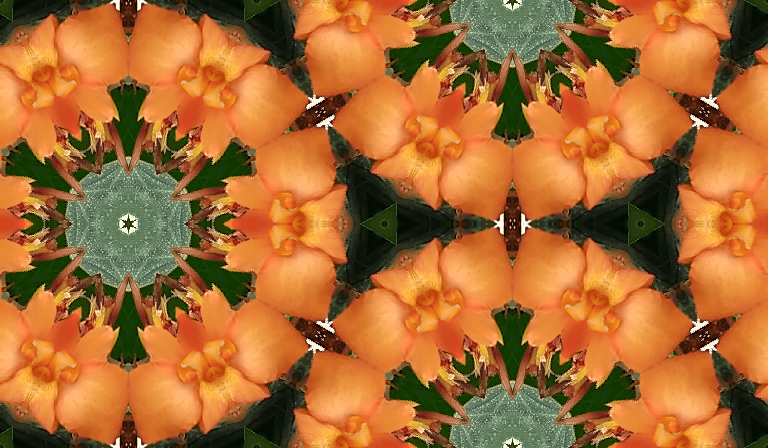
The Silicon Mirror application consists of two main components: Moe’s Image Viewer and the Silicon Mirror window. Moe’s Image Viewer is a simple image viewer that lets you open most image files and display them. The Viewer has a few specialized embellishments, but basically it just lets you look at images. The Silicon Mirror window is a very unusual item. It is designed to float in front of the Viewer and reflect portions of the image in the Viewer like the mirrors in a kaleidoscope. Part of the Silicon Mirror window is effectively transparent to the image beneath it. As you drag the Silicon Mirror window across the desktop, the image coming up through the transparent portal changes and is reflected to create a kaleidoscopic effect. In MacLand, the official appname is Moe's Image Viewer.
The image inside the Silicon Mirror can be stacked side by side, bottom to top so as to seamlessly ‘tile’ the plane. You can see what this looks like by pressing the Stacked Tiles Preview menu item on the Silicon Mirror menu.
When the Silicon Mirror contains a tile that you like, you can save the tile to a file.
Once you have a tile image in a file, there are several things that you can do with it:
1) Use the tile as ‘wallpaper’ for your Mac desktop.
2) Load the tile in Moe’s Image Viewer, turn on stacking, and then print the stacked tiles. If you carefully align the printed pages, you can seamlessly wallpaper entire rooms with the printed output.
3) Use the tile as ‘wallpaper’ for a web page.
One source of inspiration for this program was the art of M.C.Escher. The Silicon Mirror can be used to create images reminiscent of Escher’s work.